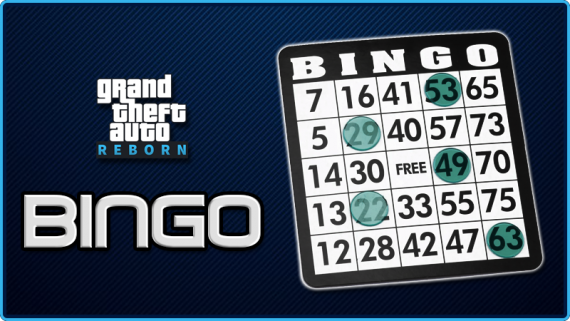
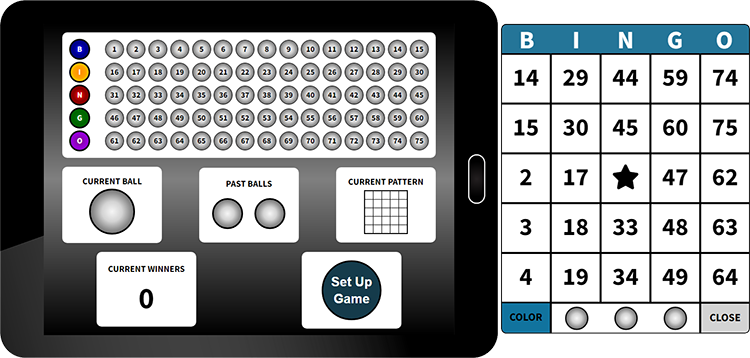
The Reborn Bingo scripts is a great way to have some civilian fun! Bet money or bragging rights and have a phenomenal time. Bingo games are synchronized between all players and allows them to use voice or text to call in when they have Bingo. Their cards are then checked by the caller (whoever has the Bingo tablet) to verify their win. Bingo cards have multiple colors and both the tablet and cards can be moved around on the script to not interrupt RP. The Reborn Bingo scripts also has many customizable options:
- Customizable Bingo patterns
- Enable/disable "FREE" space
- Customizable item names
- Ability for caller to use a command instead of the tablet item
- Enable/disable ability for the caller to see potential winners
- Customizable option to show QBCore notifications for new ball calls
- Customizable check-in and Bingo card locations with debug option (to show PolyZone)
- Adjustable notification for check-in and Bingo card zones (floating text or QBCore)
- Multiple color options for Bingo cards
- Compatible with PolyZone or QB-Target
- Compatible with qb, ox and ps inventory
- * Export to give Bingo Card (server-side): exports['reborn-bingo']:BingoCard(playerid)
Invite multiple players and host a Bingo tournament of your dreams!
** ONLY ONE CARD ALLOWED PER PLAYER PER GAME. PLAYERS WILL BE REMOVED FROM THE GAME IF THEY ATTEMPT TO CHEAT. **
This script is escrowed and only allows adjustments of the configuration file.
How To Use:
1) Open config.lua and adjust to your liking. Make sure to set your Bingo check-in and card pick-up locations.
2) Use your specified Bingo tablet command or give someone the Bingo tablet item to use to start calling Bingo!
3) Instruct Bingo players to go to the card pick-up area to get a card (only 1 per player is allowed) then once the caller has initiated the game, players can check-in to start playing.
Questions:
Q: How do I start?
A: Make sure to open the Config and adjust the coordinates of the Bingo check-in and card pick-up locations. After that, give a user a Bingo Tablet and they can begin calling a Bingo game.
Q: How do I check a card to see if it's a winner?
A: Make sure you have the Bingo Tablet in your inventory. Get the card from the player and use it. You will get a notification if it is a winner. Make sure to check cards before you end a game.
Q: Where do I get Bingo cards?
A: At the location specified in the config. The default location for Bingo games is The Vinewood Bowl.
Q: Where do I get a Bingo tablet?
A: This must be created/given by an admin using the configured tablet name. The default is "bingotablet"
Q: Can multiple Bingo games happen at once?
A: Not at this time.
Q: I'm stuck in the tablet/card, but can move the mouse. What happened?
A: Right-click your mouse to get back onto the tablet/card. This is scripted in order to allow movement while both are out without closing them.
Q: How do I use the Bingo Card export?
A: Add exports['reborn-bingo']:BingoCard(playerid) to any server-side resource and this will give the playerid a bingo card. You can require money, items or anything you wish before applying this export.
Video: https://youtu.be/EcV430vNd3I
Dependencies: QBCore, PolyZone or QB-Target
Supported Frameworks: QBCore only
Current Release: 1.51
Updates:
- v1.0 - Initial release
- v1.01 (5/10/2023) - Added YMAP for card tables
- v1.1 (8/11/2023) - Added config option to allow older QBCore
- v1.3 (11/8/2023) - Fixed deprecated QBCore function calls
- v1.4 (12/22/2023) - Added support for ps-inventory
- v1.5 (4/27/2024) - Added "BingoCard" export to allow server owners to give a card with any script in order to require money, etc for a bingo card. Added Bingo Sign from video into script for use. Fixed table spawning issues.
- v1.51 (1/25/2025) - Added fix for qs-inventory issue